A fast, clean player for your M3U and Xtream playlists – on Android, Android TV, LG TV and iPhone.
Seba IPTV Player is built to be easy to use, even with a TV remote.
Add M3U links or Xtream Codes logins and switch between them with one tap.
Live TV, movies and series are sorted automatically, with groups, search and favorites.
See what's on now and next, right in the channel list and in full screen.
Full remote control: zap with the arrows, type channel numbers and use the color buttons.
Choose audio tracks and subtitles, and see the stream quality in the player.
Your playlists are stored only on your own device. We never see what you watch.
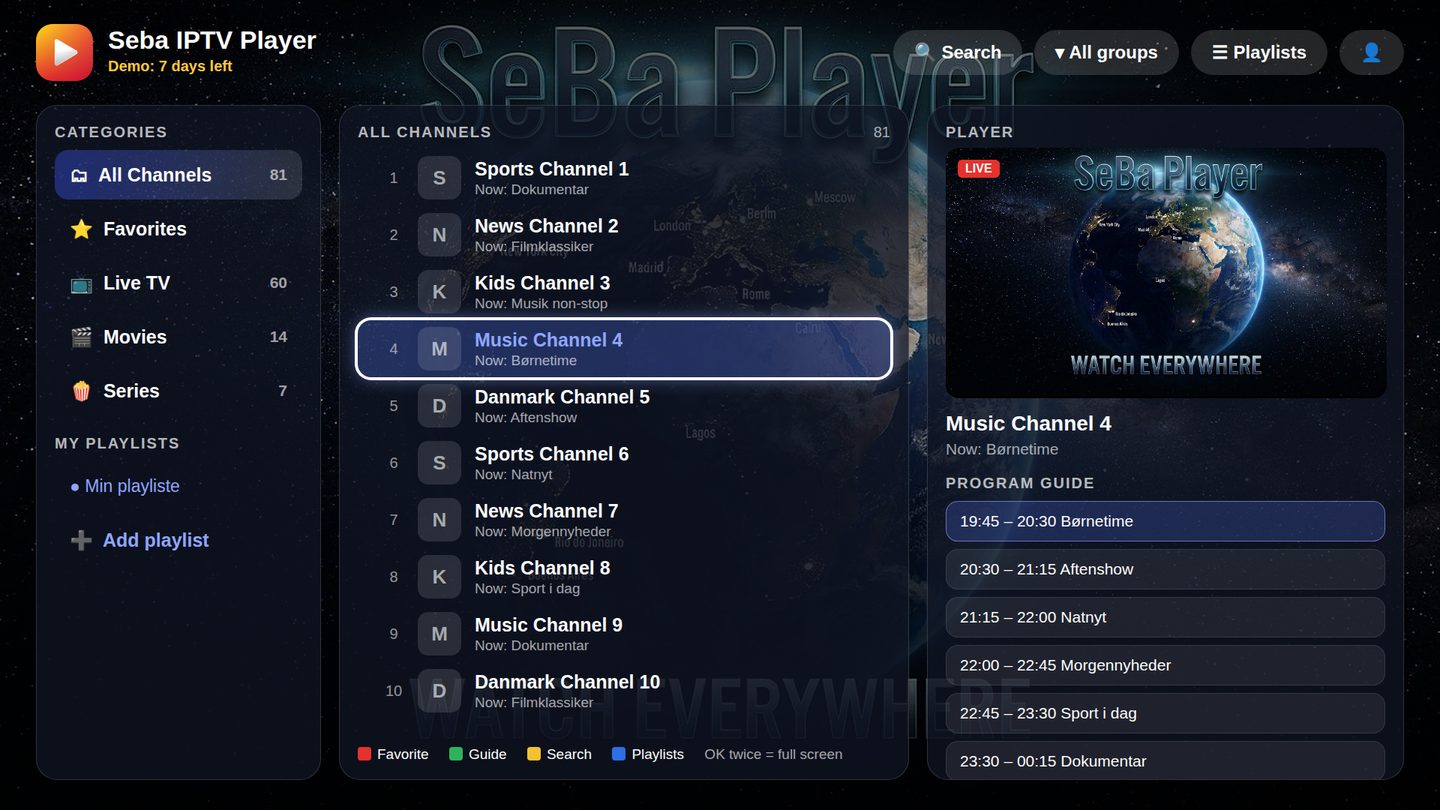
Install the app, add your playlist and use every feature for 7 days. No payment or account needed to try it.
For phones, tablets, Android TV, Google TV and TV boxes. On a TV, use the Downloader app and enter:
For LG TVs from 2018 and newer. Installation needs a little help – contact us and we will guide you through it.
Contact usThe iPhone version is ready and in testing. Write to us if you would like to hear when it is available.
Coming soonWhen the trial ends, unlock the app with an activation code. Pay once – no automatic renewal.
Secure payment via Stripe (cards, Apple Pay, Google Pay and local payment methods). The license is valid for the device whose ID you enter. Your code is sent by email, usually within a short time.
Open the app and tap the text under the name "Seba IPTV Player" (or the 👤 button). Your ID looks like this: A1B2-C3D4
Choose 1 year or lifetime above and enter your device ID at checkout.
You get an activation code by email. It only works on the device that matches your ID.
Paste the code into the app and press "Activate". Done – your playlists and favorites stay as they are.
No. Seba IPTV Player is only a player and contains no channels, movies or playlists. You need your own playlist (M3U link or Xtream login) from a legal provider.
M3U and M3U8 playlists, Xtream Codes logins and XMLTV TV guides. HLS (m3u8) streams work on all devices; Android also plays most other stream formats.
A license is valid for one device. If you have several TVs or phones, you need a license for each.
The device will get a new ID. Write to us with your receipt and we will help you.
Yes – every feature is free for 7 days after installing. You only pay if you want to keep using it.
No. There is no subscription. When the year is over, you can buy a new code if you want to continue.
The app is in English, and in Danish on devices set to Danish.
 Seba Software